Android app · Coming soon on Google Play

Your quotes, dictated on site.

Transcriphone records the visit at your client's, writes the text for you, translates it into the language of your choice and emails it with your photos. Even offline, with no ads.
  • Works offline
  • Free to try
  • No ads
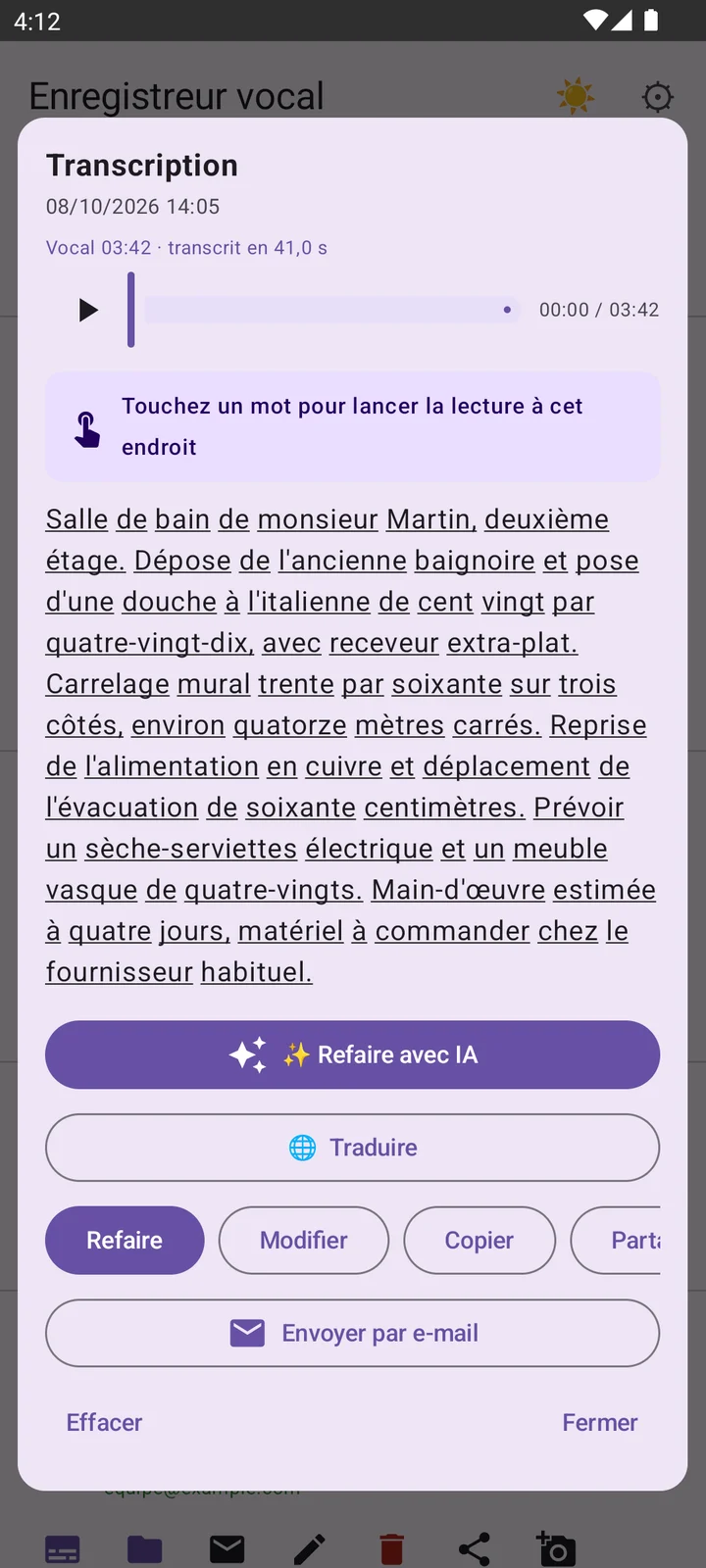
Transcription screen: the dictated text, word by word, with playback
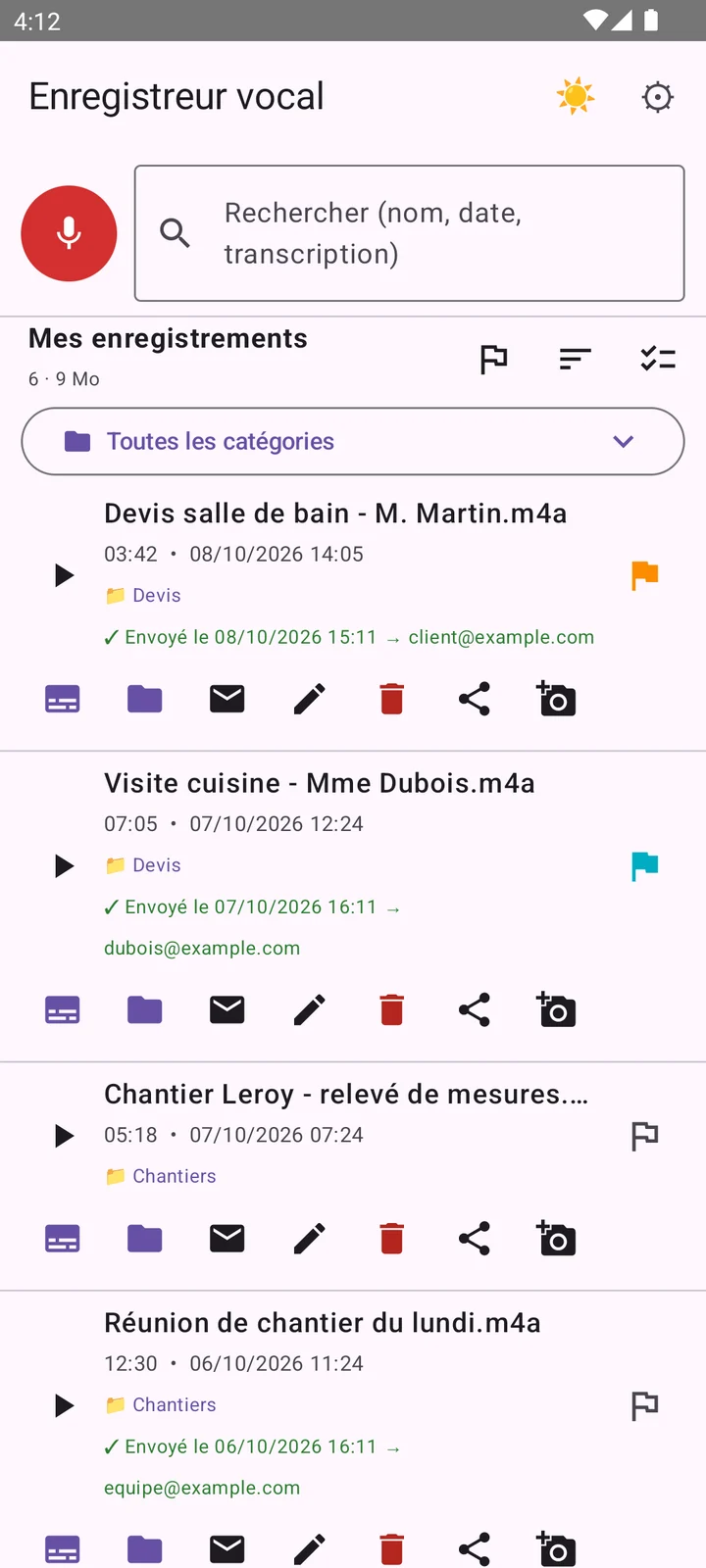
List of recordings sorted by client, with their duration
Your recordingsSorted by client or job
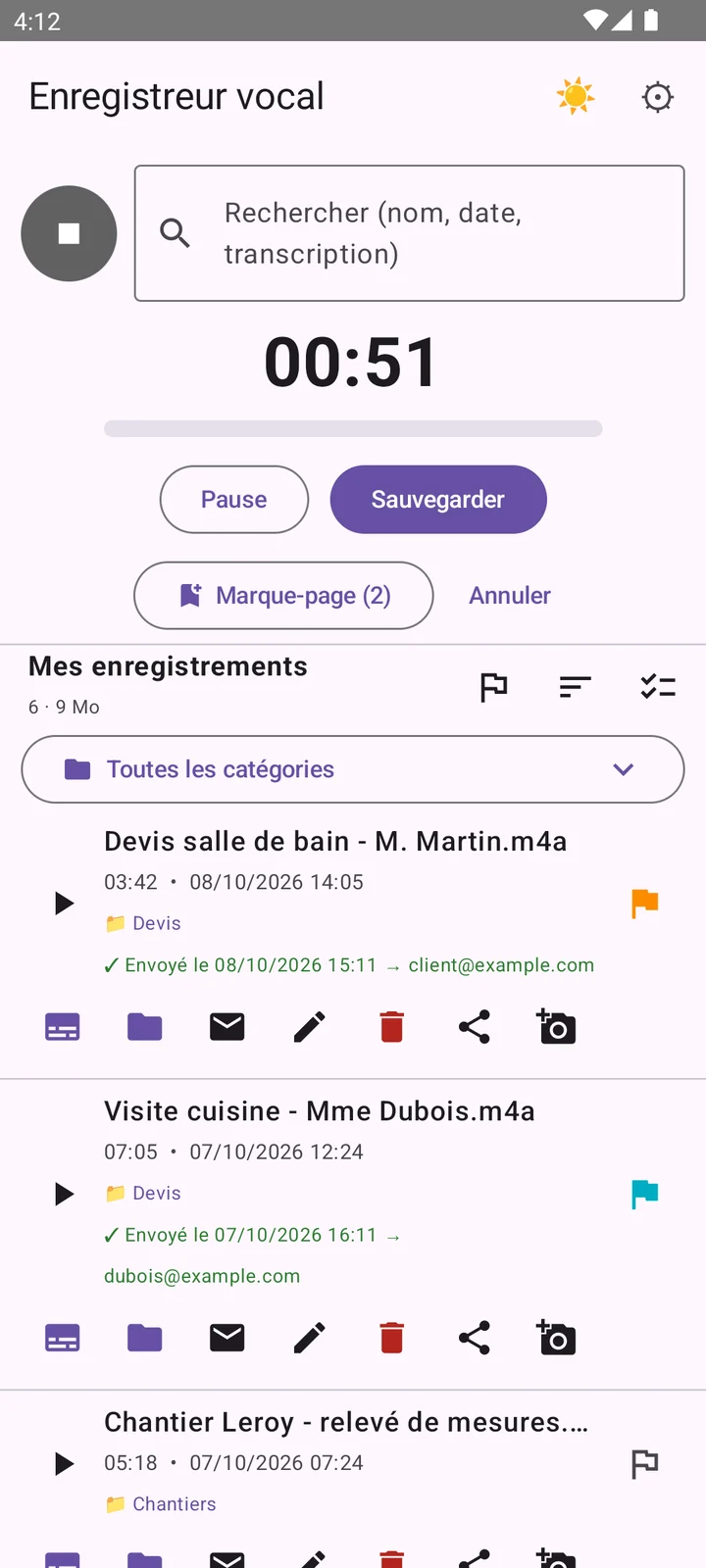
Recording in progress with pause and bookmarks
RecordingPause, bookmarks, voice-activated start
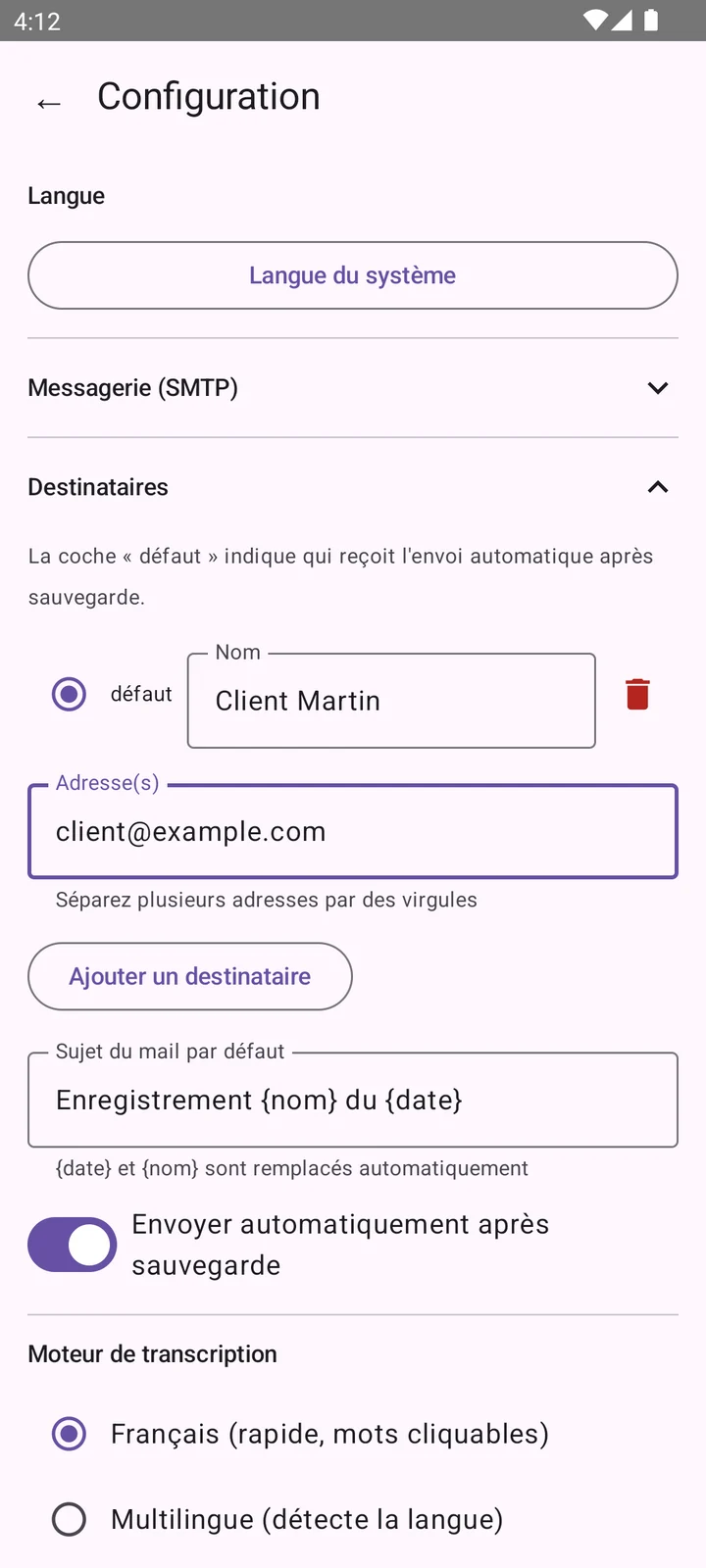
Recipient settings and automatic sending
Sending by emailRecipients and automatic sending

Real screenshots of the app, with fictional examples.

Made for people who work in the field

Why Transcriphone

Prepare the quote at the client's, not in the evening.

No more scribbled notebooks and measurements left in the van: you talk, everything is written, translated if needed, and sent.

Dictate during the visit

Measurements, materials, client remarks: talk as you walk. Automatic pause during silences, a bookmark for each room, and recording continues with the screen off.

The text writes itself

Transcription starts as soon as the recording ends. Review it, fix a word, then copy it into your quote.

Email in one tap

To the client, the office or the accountant: audio, transcript and photos go together, with optional automatic sending.

Photos and videos before you confirm

As soon as the recording ends, take photos, shoot a video or pick from the gallery: everything goes with the recording.

Translated into your language

A foreign client, supplier or job site? Translate the transcript into about sixty languages, right on the phone.

Everything sorted by client

Categories by client or job, colour-coded favourites, and a search that also looks inside the transcripts.

Android app

Built for Android, down to the details.

Transcriphone builds on what your phone already does: quick settings, notifications, the share menu, the lock screen.

Start without opening the app

Add the Transcriphone tile to your quick settings: swipe down from the top of the screen, tap, and recording starts.

Screen off, it keeps going

Recording runs in the background, with a notification to pause or stop it. After an interruption, the app offers to recover what was captured.

Share to any app

Android's share menu sends the audio, the text or both to your messaging app, your email or your cloud storage.

Even on a modest phone

Processor too slow to transcribe quickly? AI transcription takes over. On Xiaomi, Redmi and POCO, the app walks you through lifting battery restrictions.

From Android 9 to Android 15

Tested on Doogee, Xiaomi, Redmi, POCO and Samsung.

  • 9
  • 10
  • 11
  • 12
  • 13
  • 14
  • 15

Just like your phone

Light or dark theme, 19 interface languages with your phone's language by default, and playback from the lock screen.

Photos and videos

Photograph, film… before you confirm.

Once the recording is finished, and before it is finalised, the app lets you attach what you see: the visual record completes the voice.
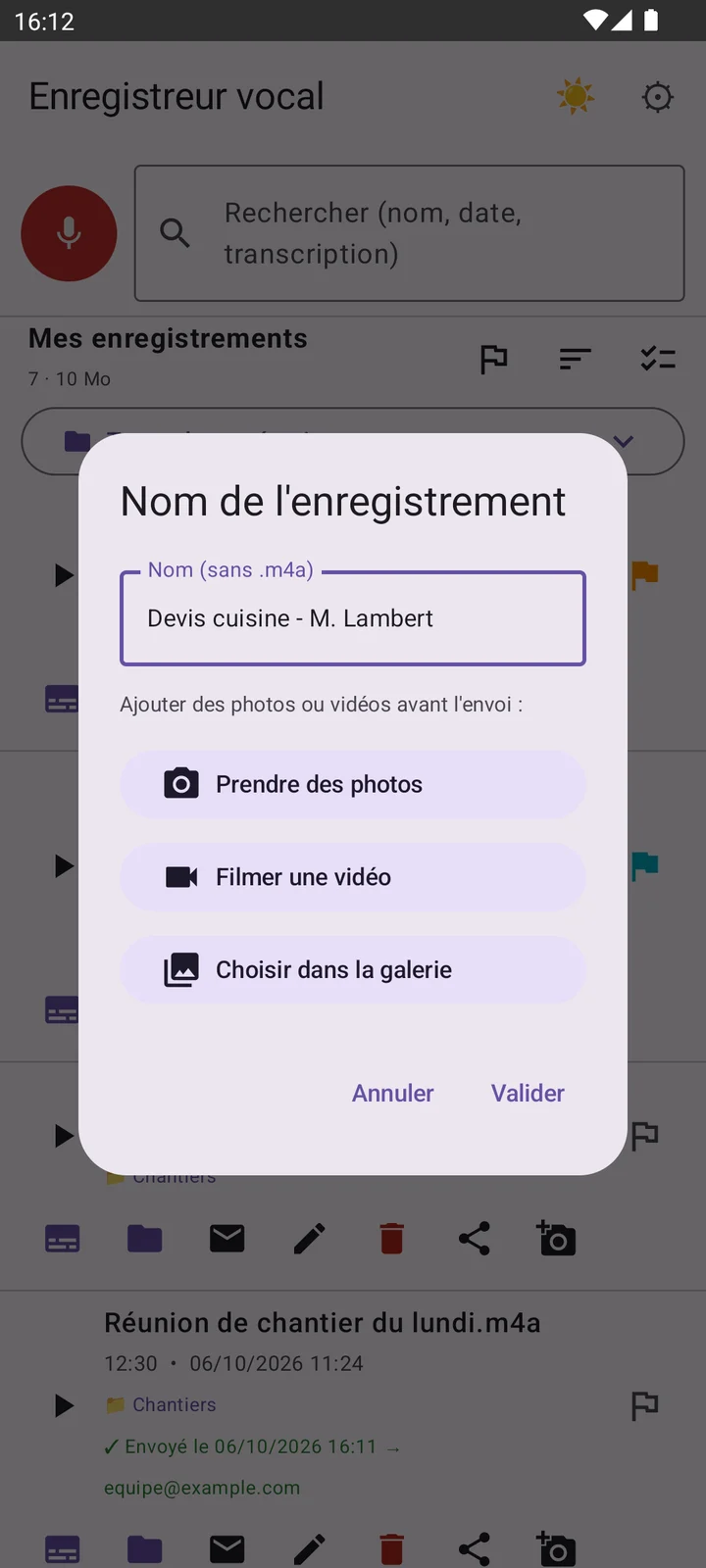
  • Take photos, as many as you like, without leaving the app.
  • Film a video of the job site, in one tap.
  • Pick from the gallery photos and videos you already took.
  • Everything is attached to the recording and goes with it by email, before automatic sending.
“Recording name” window with the buttons Take photos, Film a video and Choose from the gallery
Real screenshot: right after “Save”, before you confirm.
A typical visit

From the job site to the quote, in four steps.

  1. At the client's

    Start recording (even from the quick-settings tile), talk, and drop a bookmark in each room.

  2. In the field

    Take photos or film at the end of the recording: everything is filed with it, no digging through the gallery.

  3. In the van

    The transcript is ready. Review it, fix it, tap a word to replay the exact passage, translate if needed.

  4. In one tap

    Send everything to the client or the office by email. Your quote only needs to be written.

Translation

Speak in one language, read in another.

A quote for a foreign client, a supplier across Europe, a crew who speaks another language? Transcriphone translates your transcripts into about sixty languages, right on your phone.

  • About sixty languages, with a search box in the list.
  • On the phone: each language is downloaded once, then translation works offline.
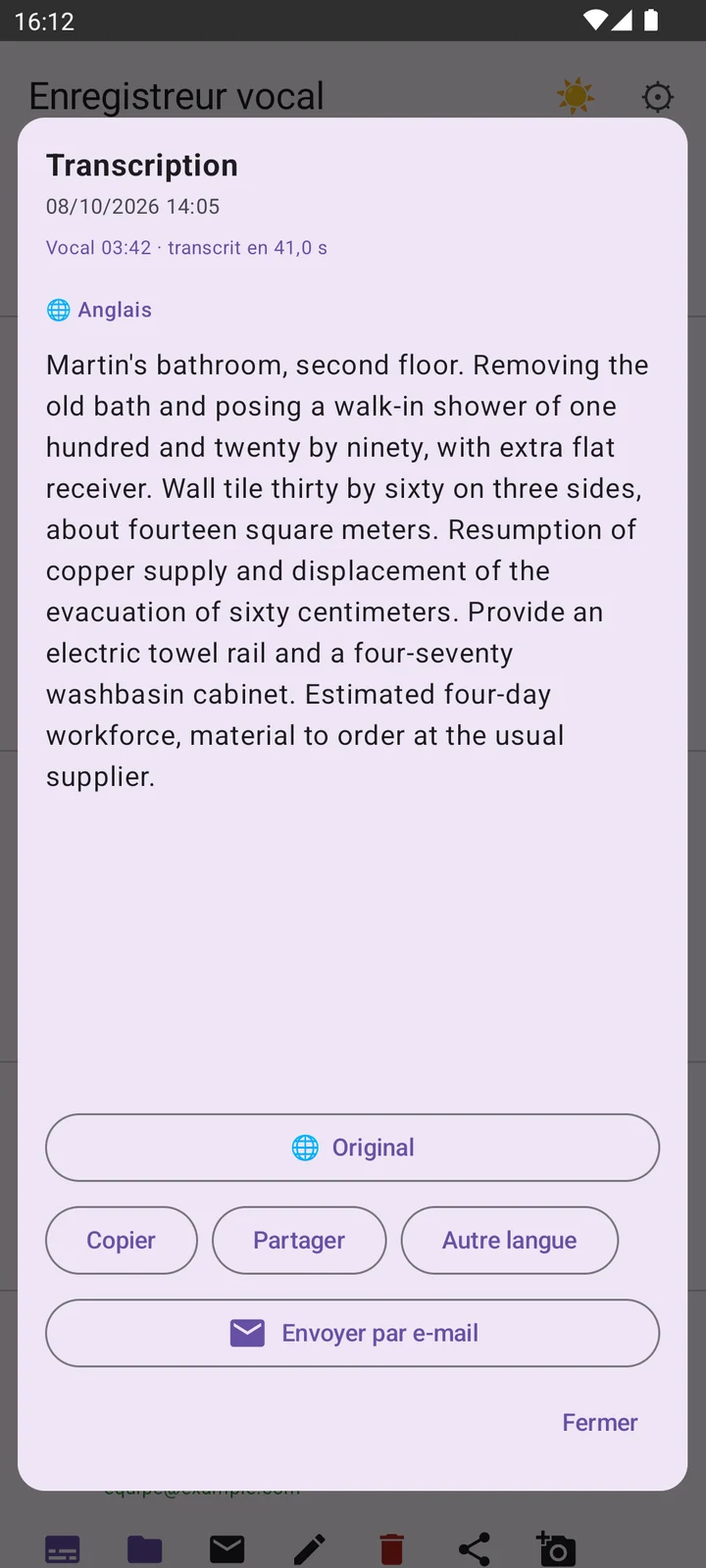
  • Original and translation at hand: one button to switch, copy, share or email the translated version.
  • The multilingual engine detects the spoken language by itself, so it can transcribe recordings in other languages too.

This website, like the app (19 interface languages), automatically shows in your browser's language.
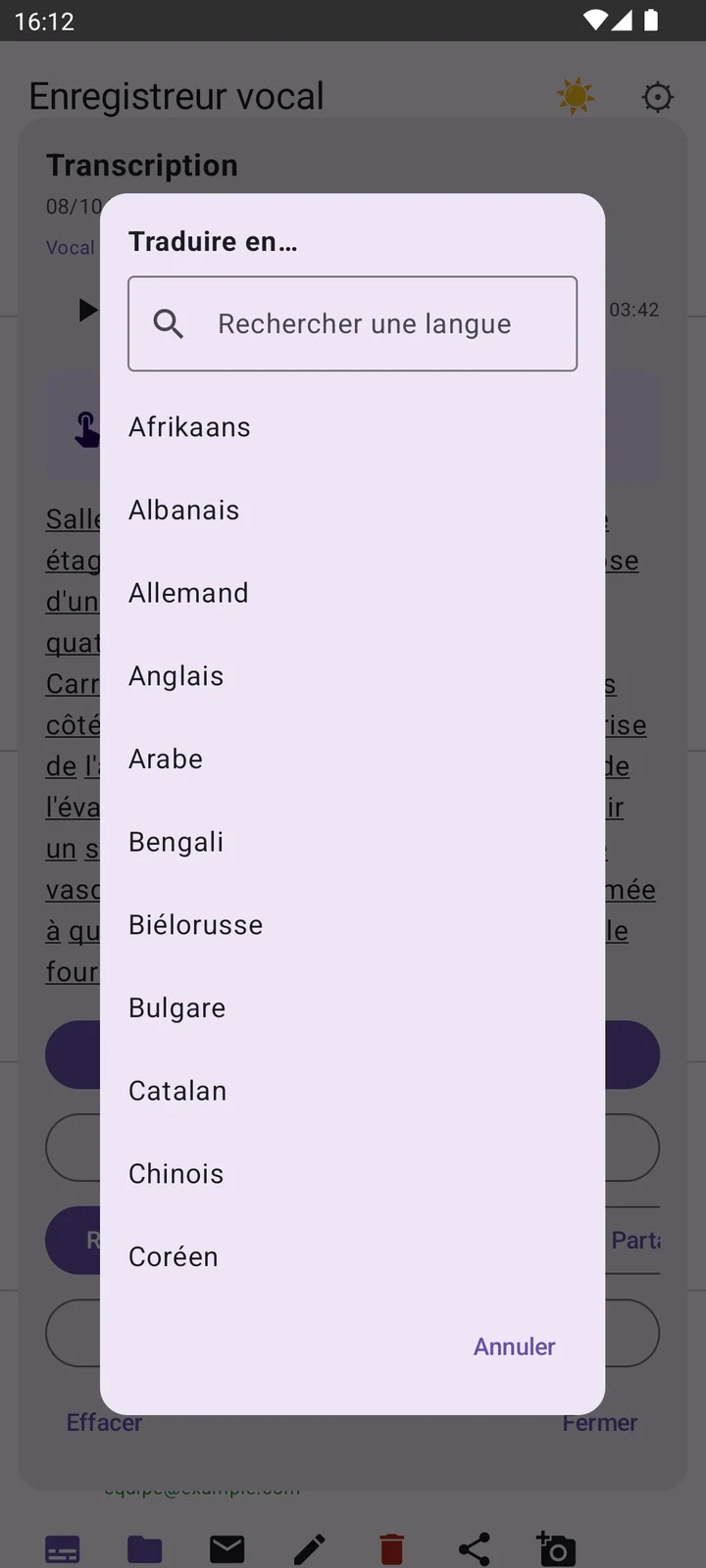
List of translation languages with a search field
Choose the language
Transcript translated into English
The result

Machine translation: proofread before any important use.

All features

Everything the app does.

One button to record, the rest follows: transcription, translation, photos, sending.

Record

One button, and the rest follows.

  • Pause and resume at any time, and bookmarks added while recording (lockable, so you don't lose them by mistake).
  • Voice activation (VOX): pauses after a few seconds of silence and resumes as soon as there is sound.
  • Keeps recording in the background with the screen off, with a notification and its own pause and stop buttons.
  • Interruption-proof: after an interruption (battery, forced close), the app offers to recover what was captured.

Listen

Find an exact passage without replaying everything.

  • Playback in the background and from the lock screen, with adjustable speed.
  • A timeline you can drag in the transcription window.
  • Once transcribed in French, the text becomes clickable: tapping a word jumps playback to that exact moment.
  • Option to skip silences automatically while listening.

Transcription and translation

Voice becomes text, on the phone.

  • Two engines, chosen automatically from the detected language: a fast French engine with clickable words, and a multilingual engine for other languages.
  • Starts automatically after each recording, or only on demand.
  • Text you can edit by hand to fix a misheard word.
  • Translation into about sixty languages, on the device.
  • The French engine is built in; the multilingual engine and each translation language are downloaded only once, then work offline.
  • AI transcription, on request only: the recording is transcribed by an AI service through our server (see the plans).

Organise

Find a recording in seconds.

  • Search by name, date or transcript content (accents and capitals ignored).
  • Sort by date, name, duration or favourites; colour-coded favourites.
  • Categories (client name, job…) with the number of recordings per category.
  • Multiple selection to delete or share several recordings at once; individual renaming.

Photos and videos

The visual record completes the voice.

  • Before you confirm the recording: take photos, film, or pick from the gallery.
  • Built-in camera: several photos in a row, without leaving the app.
  • Thumbnail preview for each recording, with individual deletion.
  • Attached to the email optionally: the option can be turned off in the settings.

Send by email

Two ways to send, depending on what you prefer.

  • Default server (recommended): no setup, no email password stored on the phone. Encrypted connection.
  • Your own server: enter your own SMTP server; the password stays in the phone's hardware-backed keystore.
  • Named recipient groups, automatic sending after each save, customisable subject (name and date inserted automatically).
  • The transcript goes with the audio (in the message and as an attachment), and so do photos and videos if the option is on.
  • A history of who received what, and when.

Security

What protects the app and what it contains.

  • PIN lock, with fingerprint or face unlock if the phone supports it.
  • Transcription happens on the device: your voice leaves it only if you choose to send it (email, sharing or AI transcription).
  • No email password stored in plain text.

Share

To any other app.

  • Share the audio alone, the text alone, or audio + transcript together (a real .txt file).
  • Grouped sharing for several selected recordings.
  • Works with the usual messaging apps, WhatsApp included.

Personalise

The app adapts to you, not the other way round.

  • Light or dark theme, your choice.
  • 19 interface languages, with the phone's language detected by default.
  • Android quick-settings tile: start recording without opening the app.
  • Settings organised in collapsible sections, so you don't get lost.

Compatibility and backup

Built to live with very different phones.

  • Works on Android 9 to Android 15, with storage handling adapted to each version.
  • Tested on several brands (Doogee, Xiaomi, Redmi, POCO, Samsung). On Xiaomi, Redmi and POCO, the app guides you to let it run without battery restrictions.
  • Export and import of the whole configuration in one file, to change phones without redoing everything.
  • Built-in technical log for diagnostics, with no content and no passwords.
Plans

Try it free, unlock everything whenever you want.

The app will be offered on Google Play as a free version to discover it, and a full version that unlocks everything.

Free

To discover the app

€0

  • 1 recording
  • 1 minute of AI transcription
  • 1 recipient for email sending
  • All other features are reserved for the full version.
Notify me at launch
Full

Full version

All features unlocked

Price coming soon · shown on Google Play

  • Unlimited recordings
  • 30 minutes of AI transcription included
  • On-phone transcription and translation into about sixty languages
  • Photos and videos before you confirm the recording
  • Several recipients, named groups, your own SMTP server
  • Need more? AI time packs in blocks of 5 h, 10 h…
Notify me at launch
Plan details
FeatureFreeFull
Recordings1Unlimited
AI transcription1 minute30 minutes included
Extra AI time (transcription, translation)—Packs of 5 h, 10 h…
On-phone transcription and translation—Included
Photos and videos before confirming—Included
Sending by email1 recipientSeveral recipients
Recipient groups, your own SMTP server—Included
Search, categories, favourites, bookmarks, PIN code—Included

Prices, including those of the packs, will be announced before launch and shown on Google Play. The exact content of the plans may change until then.

Privacy

Your clients' secrets stay yours.

A visit to someone's home is personal: the app is built so that nothing leaves unless you decide so.

On your phone

Transcription and translation happen on the device. Your voice leaves it only if you choose to send it: by email, by sharing, or with AI transcription.

PIN lock and biometrics

A PIN protects the app, with fingerprint or face unlock if your phone supports it.

No ads, no cookies

No advertising in the app. This website uses no cookies, no analytics and no external resources. Read the privacy policy.

Frequently asked questions

We have the answers.

Where can I get the app?

It will be offered on Google Play. It is currently being tested: leave us your email address below to be the first to know.

What does the free version include?

It is meant to let you discover the app: 1 recording, 1 minute of AI transcription and email sending to 1 recipient. All other features are reserved for the full version.

What does the full version include?

All features: unlimited recordings, on-phone transcription, translation, photos and videos, several recipients, your own mail server… and 30 minutes of AI transcription included. The price will be shown on Google Play at launch.

What happens when my AI minutes run out?

On-phone transcription does not use these minutes. To keep using AI, time packs will be offered in blocks (5 h, 10 h…).

Can I take photos and videos?

Yes, and it is one of the app's strengths: as soon as the recording ends, before you confirm it, you can take photos, film or pick from the gallery. Everything is attached to the recording and goes with it by email.

How does translation work?

After transcription, tap “Translate” and choose the language from about sixty. Translation happens on the phone: each language is downloaded once, then works offline. It is machine translation: proofread before any important use.

Does it work without internet?

Yes. Recording and French transcription work without a connection: the engine is built into the app. Sending an email of course needs a connection, but you can send later from a covered area.

Are my recordings sent anywhere?

No, unless you decide so: by email, by sharing, or with AI transcription, which sends the recording to a transcription service through our server, without keeping it. Otherwise they stay on your phone. Details are in the privacy policy.

Which phones does the app work on?

Android 9 to Android 15. It has been tested on several brands (Doogee, Xiaomi, Redmi, POCO, Samsung). On Xiaomi, Redmi and POCO, the app guides you to let it run without battery restrictions.

Do I need to set up a mail server?

No. With the default server, sending works without any setup and without any email password stored on the phone. You can also use your own SMTP server.

Coming very soon.

Write to us to be notified at launch on Google Play, or to try Transcriphone early.

Notify me by email